



Control One = Control All
Object mode in one-to-many synchronization, send query of the node (or UI object) to all devices instead of coordination, click "OK" can run on all devices with different resolutions than click(100,100).
AAI Script (AAIS) is very small script built on top of AAI's FindNode, it has a very simple syntax and with a dozen of commands, it is useful to write simple tests or throw away scripts.
UI Explorer to obtain node information and helper program to construct query, great to learn query language learning.
MDCC (Multi-Device Control Center) synchronizes screen operations or scripts across multiple devices. Total Control Lite supports WDM (Windows Desktop Mode), while the Professional version supports both WDM and MDCC.
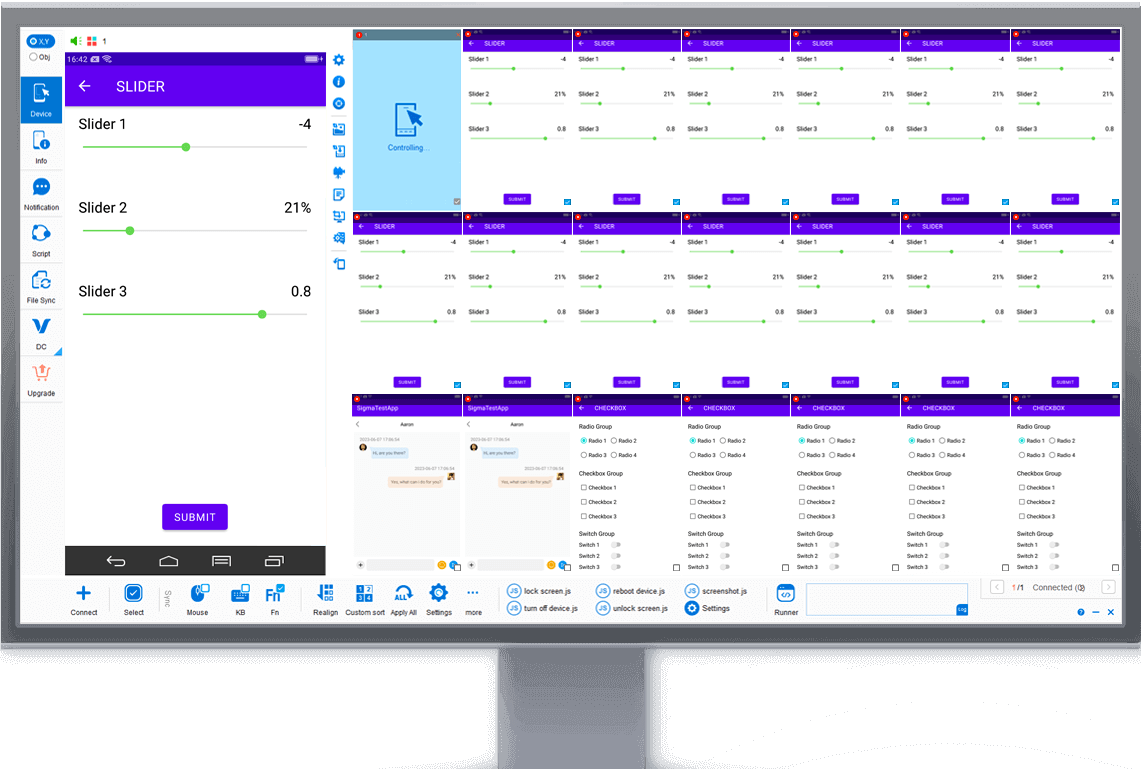
WDM (Windows Desktop Mode) displays each device in an independent desktop window, ideal for controlling a small number of devices.Total Control Lite supports WDM, while the Professional version supports both WDM and MDCC.
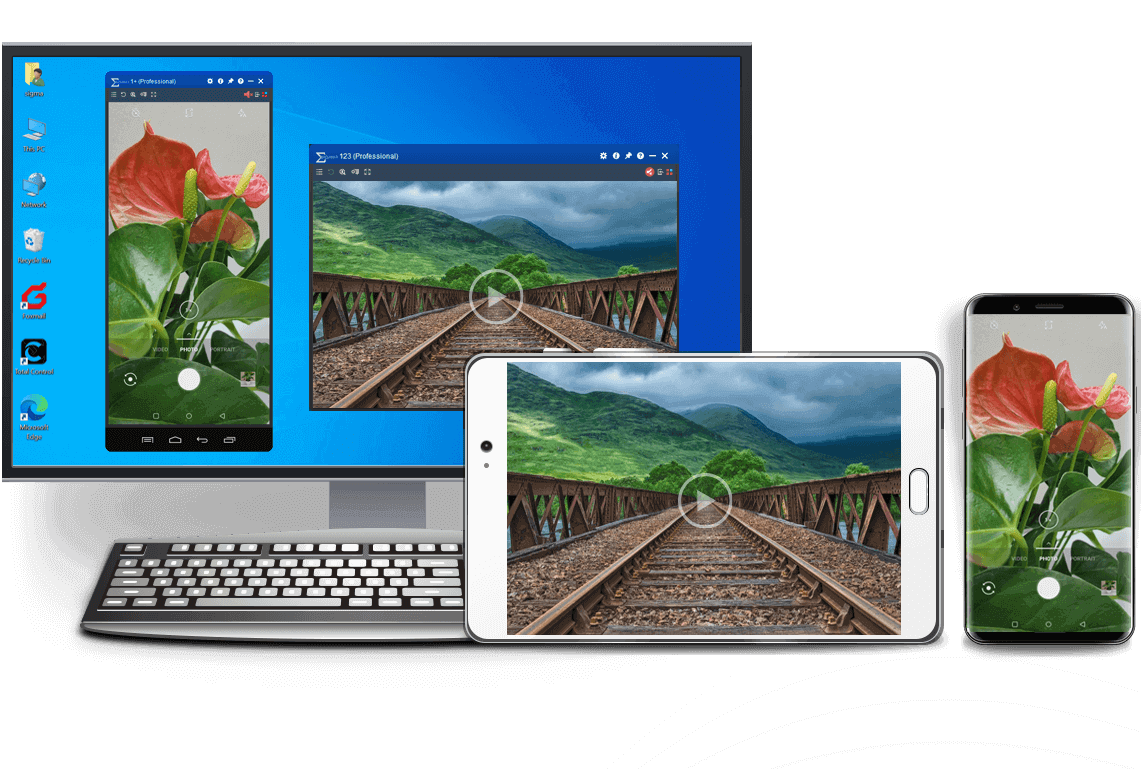
Mirror and control Android devices from another Android device using Device Control, with support for multiple devices.
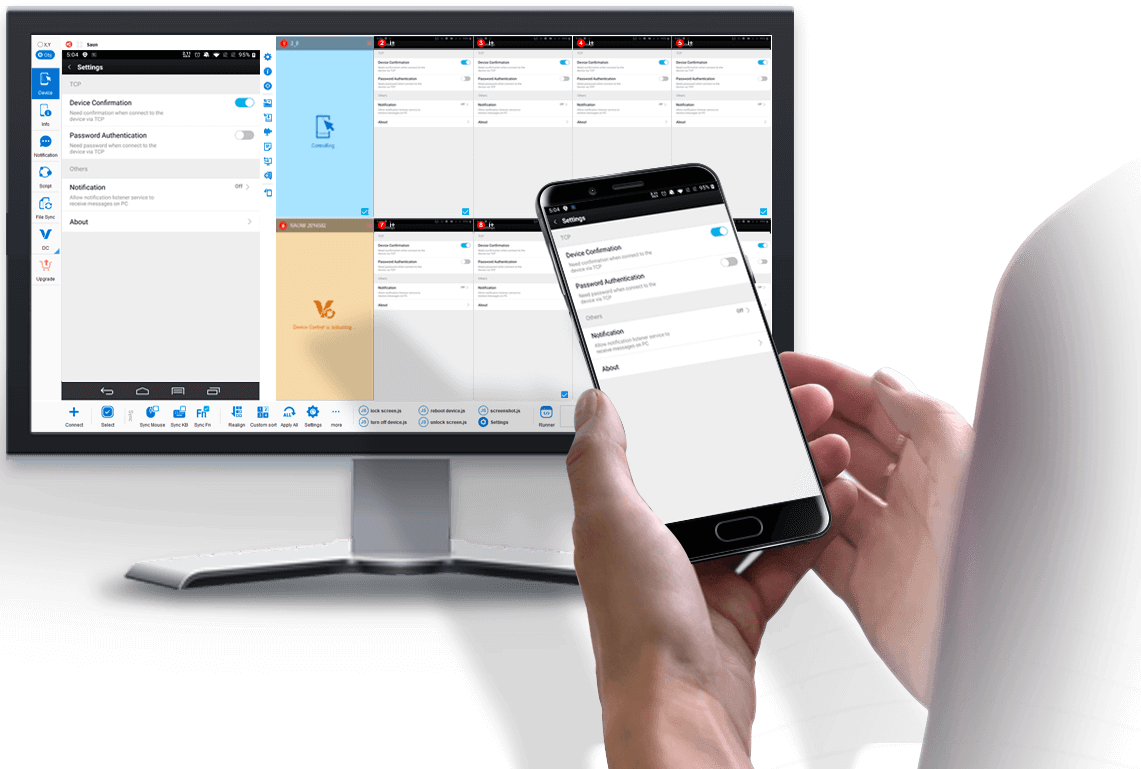
Select Obj mode to easily sync Android devices with dfferent screen resolutions and brands (resolution independent).
Example: Sync buttons in different locations.

Support FindNode, REST API & JavaScript API
Integrate object-based action to existing API & seamless integration with FindNode.


device.sendAai({query:"T:Android version&&OY:1", action: "getText"})devices.sendAai({ actions:["scrollIntoView('T:Pointer location||OX:1','down')","click"]})http://localhost:8090/TotalControl/v2/devices/ids/aai/sendaai?
{
"token": "270eq7lXQK8bXYsJ",
"state": "active",
"ids": ["device@795844152","device@795812215"],
"query":"T:Pointer location||OX:1",
"postAction":"click",
"preAction":"scrollToView"
}Total Control allows users to control Android devices from a PC with low latency and high stability. It supports controlling multiple Android devices simultaneously, making it ideal for Android testing, automation, demonstrations, and device farm environments.

Controlling Android devices from a PC is essential for developers, testers, and businesses that need to operate multiple devices efficiently. With Total Control, users can mirror and control Android devices directly from a Windows computer using a keyboard and mouse.

The software supports multi-device synchronization, allowing users to control multiple Android devices simultaneously from a single PC. This makes it ideal for Android automation, device testing, demonstrations, and large-scale device environments such as Android device farms.

Compared with traditional screen mirroring tools, Total Control focuses on low latency, stability, and large-scale device control. Users can easily deploy dozens of devices, synchronize actions, and automate repetitive operations using scripts and APIs.
This file is the "cache" or expansion data for version 1.11.0 of the game. On Android, large games are often split into an APK (the application installer) and an OBB file (the bulk of the game data). : main.92.com.turner.cardwars.obb Size : Approximately 177 MB to 184 MB
Android operating systems strictly restrict where game data can live.
Are you setting this up on an or a modern operating system version ? If you run into any specific installation errors, share the exact error text so we can get your deck ready for the tournament! Share public link
"Card Wars" began as an incredibly complex in-universe card game played by the characters Finn and Jake in the beloved animated series, Adventure Time . The game was so popular that Cartoon Network, under the developer name "com.turner," created a real mobile adaptation titled . main92comturnercardwarsobb
In conclusion, the world of card wars is a fascinating and dynamic place, full of exciting games, strategic challenges, and social opportunities. Whether you're a seasoned player or just starting out, there's never been a better time to explore the world of card wars. So gather some friends, shuffle a deck, and join the fun!
Here is where things get tricky. The original Card Wars app is several years old. As Android has evolved, new versions (Android 12, 13, 14, and beyond) have introduced stricter security measures and changes to how apps handle graphics and memory. The app was built with an older Android Software Development Kit (SDK), and consequently, it often refuses to install or run on modern devices without significant tinkering. This is where the fan community has stepped in to save the day.
If you run into any permission errors while moving the files on your specific version of Android, let me know your device is running so I can provide the exact steps to bypass it! Share public link This file is the "cache" or expansion data for version 1
At first glance, "main92comturnercardwarsobb" appears to be a random combination of characters. However, let's try to break it down:
: Launch the game. Because Card Wars was coded for older Android SDK architectures, your phone may throw a "Not Compatible" or crash error on the first boot. Completely close/kill the app from your recent apps screen and launch it a second time; it will bypass the warning and load normally. Core Gameplay Features of Card Wars
For die-hard fans trying to play the game on modern Android devices in 2026, the APK alone isn't enough. You need the game's data—the main.92.com.turner.cardwars.obb file. Are you setting this up on an or
Since Cartoon Network took the servers offline, the community uses this file to bypass license checks and play the game offline or via fan-hosted servers. Technical Context for Fans
You will need two specific files:
Pairs the asset bundle to the appropriate APK software release. Reverse Domain Name Identifies the publishing entity (Turner Broadcasting). .cardwarsobb App Sub-Directory Name The unique designated folder inside the Android system. .obb Opaque Binary Blob Format The standardized encrypted asset container used by Android.
: Provide space for both the manager and the employee to sign the document, acknowledging that the conversation took place. Steps After the Write-Up Following the formal meeting, it is important to:
The final battle wasn’t fought with controllers — it was fought in the TurnerCard’s source code, line by line. The winner would decide the future of cross-game war forever.
Controlling Android from a PC is simple with Total Control.
After installing the software on your computer, connect your Android device via USB and enable USB debugging.
Once connected, you can view and control your Android screen directly from your PC using a keyboard and mouse.
The Lite version supports 1–2 devices and is free for non-commercial use.
To control multiple Android devices simultaneously, upgrade to the Professional version for advanced features and large-scale device management.
Total Control supports Windows 7 to Windows 11 (32-bit and 64-bit).
It is compatible with Android 6.x to Android 16 devices from all major brands and manufacturers.
Yes. Total Control allows you to control Android devices from a PC without rooting the device. Simply enable USB debugging and connect via USB to start controlling the device securely.
Yes. The Professional version supports controlling multiple Android devices simultaneously, making it ideal for developers, testers, and enterprise device management.
The best way is to use a professional Android control tool that provides low latency, stable connections, and full keyboard and mouse support. Total Control is designed for commercial and multi-device environments.
Yes. When using a secure local USB connection, data transmission remains stable and protected. Total Control is built for enterprise-level reliability and security.

























